


Tools

Slugline. Simple, elegant screenwriting.

Red Giant Color Suite, with Magic Bullet Looks 2.5 and Colorista II

Needables
  • Sony Alpha a7S Compact Interchangeable Lens Digital Camera
    Sony Alpha a7S Compact Interchangeable Lens Digital Camera
    Sony
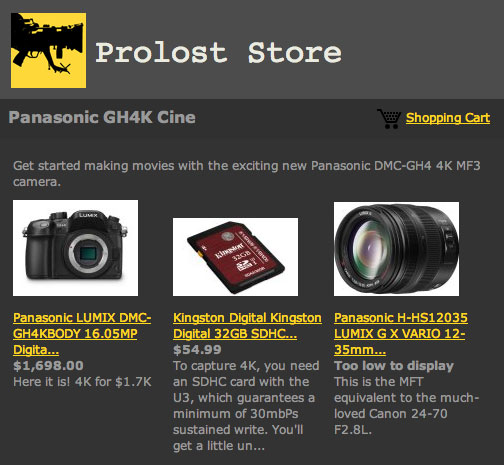
  • Panasonic LUMIX DMC-GH4KBODY 16.05MP Digital Single Lens Mirrorless Camera with 4K Cinematic Video (Body Only)
    Panasonic LUMIX DMC-GH4KBODY 16.05MP Digital Single Lens Mirrorless Camera with 4K Cinematic Video (Body Only)
    Panasonic
  • TASCAM DR-100mkII 2-Channel Portable Digital Recorder
    TASCAM DR-100mkII 2-Channel Portable Digital Recorder
    TASCAM
  • The DV Rebel's Guide: An All-Digital Approach to Making Killer Action Movies on the Cheap (Peachpit)
    The DV Rebel's Guide: An All-Digital Approach to Making Killer Action Movies on the Cheap (Peachpit)
    by Stu Maschwitz

Entries in DV Rebel's Guide (90)

Sunday
Aug052007

Taming the Toy

I mentioned in my previous post that the Canon HV20 has poor manual control. While this has been amply documented elsewhere, here's a brief summary of why, in the form of a description of the Sex Positive workflow.

We used Cinema Mode. Consult your HV20 user's manual for the customary misunderstanding about camera modes with the term "cine" in their name: "Give your recordings a cinematic look by using the CINE MODE." No, that's not what it does. What it does is remove the clippy, contrasty gamma that makes consumer video look good to Ma and Pa Birthday Cam, and replace it with a clean, low-contrast curve that extracts as much dynamic range as possible from the CCD. CINE MODE is important with this camera—don't leave home without it.

We always used a 1/48th shutter. As readers of The Guide know well, a 180 degree shutter is not just a good idea, it's the law. Violate it and you've got audiences who've never heard of "Viper" or "Genesis" walking out of Apocalypto saying "What was with the scenes shot on video?"

We didn't have a ton of light. We had two 650W lights and one smaller one, and we blacked out windows to make a night interior out of a day shoot. The main light on the talent was a 650W diffused by a muslin. This meant that the HV20 needed to be "wide open" at 1/48th. Here begins the wrestling:

  • In CINE MODE, shooting 24p, aim the camera at something plenty bright, like the mus.
  • Use the joystick to enable manual exposure
  • Give the PHOTO Button a half-press to check the f-stop and shutter speed. You need a MicroSD card [EDIT: Actually it's a MiniSD card, thanks Mike!] in the camera for this to work, even though you don't intend to actually snap a still.
  • Adjust the exposure up until you see the magical combo of F2.4, 1/48. Best to overshoot to F2.8, 1/40 and then toggle one notch back. The HV20 can open up wider than 2.4 (to 1.8), but not when it's zooomed in. So the amount of zoom necessary to frame up the adaptor's groundglass is a factor in reducing light sensitivity.
You have to re-do that dance every time you camera auto powers-down, or every time you return from checking playback. It's not fun. I'd been getting myself used to it leading up to the shoot, and then had the alarmingly refreshing experience of dusting off the old DVX100a for the first day's shoot. On the DVX, if you want to change the shutter, you change the shutter. If you want to change the aperture, you change the aperture. And you can run with any gain you like at any of these settings. The HV20 will always open up more shutter before allowing the gain to increase, which makes sense for consumers but not for filmmakers. A day with the HV20 after a day with the DVX was a stark reminder of the filmmaker-friendly features we were giving up in order to go 1080p for less than a G.

We monitored in HD. Using a noga arm, I mounted an Ikan V8000HD to various places on the camera depending on our configuration. Mounting this LCD upside-down allowed me to see the image right-side-up, and since the Ikan is HD, I could actually see if my subject was in focus, which is a constant fight at f1.4! The Ikan runs on Sony camcorder batteries, but we just powered it with AC, mostly to keep weight down.

We shot to tape. In a tight apartment with a critical mass of gear, we shot to tape. You can eek an "uncompressed" signal out of this camera's HDMI output, but the last thing I wanted to do was drag a computer around with this rig. I've been experimenting with using Re:Vision Effects's new DE:Noise plug-in to reduce compression and noise in my HDV footage, and the results are very promising.

We boomed to a box. Rather than pipe the input from the boom mic into the HV20, we recorded to an M-Audio MicroTrack Recorder (another good choice would have been the Zoom H4). This tool audio level management off my plate (unlike the DVX100a, the HV20 has no convenient audio input level knobs) and ensured a high quality, interference-free signal. We slated manually and have the camera mic audio to help us post sync our dailies.

As you can see, there are trade-offs with this setup. One of the great things about basing a DV Rebel shoot around a prosumer camera such as the DVX100b, HVX200, or Canon XH A1 is that your rig grows with your capabilities and never gets in your way. It actually prepares you for a future of shooting with a Varicam or a Viper. With the HV20 on the other hand, you're off the reservation. You've go no leg to stand on when your camera fails to support your cinematic needs, because you bought it in the toy aisle. And yet, if you hop on one foot and wave the rubber chicken just right, you can make amazing images with the little guy.

Thursday
Aug022007

Keep NYC Rebel-friendly

From the picturenewyork.org press release:

NEW YORK CITY: Picture New York WITHOUT pictures of New York. In one of the most photographed cities in the world, photographers and filmmakers, both professional and amateur, would be shut down by proposed regulations making it illegal for them to film or tape in NYC without a permit and a million dollars of insurance.

The proposed regulations would affect much of the small scale filming and photography in the city. In addition to artists, those making Industrials, fashion, wedding and architectural photographs could need a permit. The regulations would require a permit for 5 people with one tripod who shoot for 10 minutes or more in one place. (And this would include set up and break down!). A film school graduate with a camcorder, four friends and a dream could have to pay comparable insurance fees with HBO to shoot in New York City. Even parents making home movies in public parks could fall under the new rules.

Full press release

Petition

More info

Thursday
Jul192007

¡Colorista Fiesta!

Dave Basulto of Filmmaking Central has a new article on mastering his latest feature film, Fiesta Grand. He followed the DV Rebel's Guide methodology to the letter and is delighted with the results.

Color correction can make or break a movie. It’s as important as having good sound. Having the right color can set the moods you are trying to convey to your viewers. Golden tones can help make things more cheerful. Bleach bypass made Saving Private Ryan look extremely authentic. My movie, Fiesta Grand, had a nice look in its raw format but I really wanted it to make an impression. But how do you color correct? This was something I fooled around with but never got too involved on prior films. Luckily we are in an age where powerful tools are at our disposal. No longer does the independent filmmaker have to dream about using the DaVinci. Let the rebellion begin!
For those who don't yet have The Guide, or for readers who haven't yet tried out the DV Rebel Tools, this is a great overview of how they help automate the process of mastering in After Effects.

(And for the record, there's nothing about the correction I did on Lola from A sus órdenes that I could not have done with the DV Rebel Tools and/or Colorista in After Effects.)

Coloring the Fiesta on Digital Media Net

Wednesday
Jul112007

Color Makes the Movie

One of the lovely accidental insights provided by the "deleted scenes" found on many DVDs is a little window into what a movie looks like in its unfinished form. Often these extras are dumped directly from an Avid, where they have temp sound, no music, and usually a one-light telecine transfer. In other words, little or no color correction.

Seeing how rough a multi-million-dollar studio film looks in its formative stages is a great inspiration to the DV Rebel. It reminds us that a great deal of what makes a movie feel "big" comes in the finishing and polishing stages—specifically the sound mix and the color grading.

A great example of this is Transporter 2, which features a very aggressive DI. On the DVD (it's now also available on Blu-ray), there are some deleted and extended scenes that show how unsexy the film looks without all of its intended color work.

Remember, you may not be able to hire stars or secure expensive locations, but you can apply high-quality color correction (and sound work) to your movie using inexpensive desktop tools. You just have to be willing to put the time in.

EDIT: Be sure to read the comments on this post! They expand nicely on the topic.